Why Is My Sump Pump Running So Much? Troubleshooting Guide
Discover why your sump pump runs non-stop and how to troubleshoot quickly. Practical steps cover float switches, discharge clogs, and protecting your basement from flood risk.


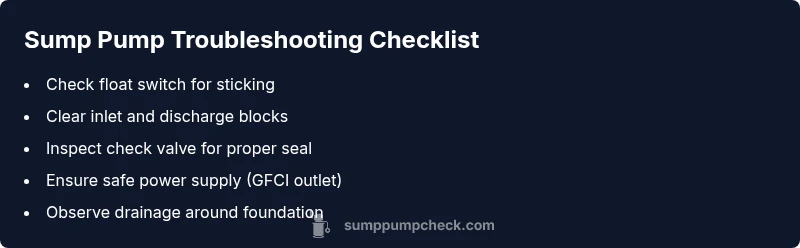
According to Sump Pump Check, why is my sump pump running so much? The most common causes are a high water table or heavy rainfall overwhelming the drainage system, a stuck or float switch, a clogged intake, or a faulty check valve. Quick fixes: inspect the float, clear debris, verify the discharge line frees flow, and test the pump to ensure it shuts off when dry. If it persists, seek a professional assessment.
Common Causes of Excess Running
Excess running is a red flag you should address immediately. According to Sump Pump Check analysis, the two most frequent culprits are an overactive water input and a float switch that won’t rise and shut the pump off. A high water table, coupled with heavy rain or rapid snowmelt, can push more groundwater into the sump pit than the drainage system can handle. Debris in the sump pit or in the discharge line can also trap water, causing the pump to run longer than needed. Finally, a faulty check valve can allow backflow, making the pump cycle again and again. If you notice beeping alarms or unusual noises, treat it as an urgent signal and proceed with a careful inspection.
- Look for signs of excessive moisture around the foundation and recent rain or thaw cycles.
- Listen for unusual clanking noises, which can indicate a loose impeller or worn bearing.
- Keep a log of when the pump runs and the weather to spot patterns that point to rainfall-driven input.
This block sets the stage for a focused, practical diagnosis and aligns with maintenance best practices to protect your home.
Steps
Estimated time: 45-60 minutes
- 1
Power down and prep
Shut off the sump pump at the outlet or switch off the corresponding circuit breaker. Put on safety gloves and eye protection before touching any pit components. Have a flashlight handy to inspect tight spaces.
Tip: Never work with live electricity near standing water. - 2
Inspect the float switch
Reach into the sump pit and observe the float’s movement. If it sticks or sits too low, adjust the linkage or replace the switch. Ensure the float travels freely to its full upward position.
Tip: Test by lifting the float manually to see if the pump energizes and stops when you lower it. - 3
Check the discharge path
Follow the discharge pipe from the pump to the exterior, looking for kinks, crushed sections, or clogs. Clear obstructions and ensure the pipe slopes downward away from the house.
Tip: Flush the line with water to confirm steady flow. - 4
Inspect the inlet and check valve
Remove debris from the inlet screen and ensure the check valve on the discharge line is installed correctly and sealing properly. Look for any signs of backflow.
Tip: If you hear air in the line, reseat the check valve or replace it. - 5
Test the system
Reconnect power and run a controlled test by pouring water into the pit or simulating rainfall near the outside drainage. Observe whether the pump shuts off after the water level falls.
Tip: If the pump continues to run, move to a professional evaluation. - 6
Evaluate water input factors
Assess whether recent rain, groundwater pressure, or changes in landscaping have increased input. Consider improving grading, gutters, and downspouts to direct water away from the foundation.
Tip: Even small landscape adjustments can reduce pump runtimes.
Diagnosis: Sump pump runs continuously or cycles frequently
Possible Causes
- highFloat switch stuck or misadjusted
- highExcess groundwater or heavy rainfall increasing input
- mediumClogged intake or discharge line causing backpressure
- mediumFaulty check valve causing backflow or air lock
- lowPower issue or outlet not properly grounded
Fixes
- easyInspect the float switch for sticking or misadjustment; reposition or replace as needed
- easyClear debris from inlet screen and discharge line; verify gravity flow
- easyTest and replace faulty check valve; clear any air locks
- easyConfirm the pump is plugged into a dedicated, GFCI-protected outlet and wired correctly
- mediumImprove external drainage around the foundation to reduce groundwater input
FAQ
Why is my sump pump running constantly after a heavy rain?
A heavy rain or rapid snowmelt increases groundwater input, which can keep the pump running longer than normal. Check the discharge path for clogs and ensure the float is not stuck, then inspect the pit for debris. If the issue persists, it may require a system upgrade or professional assessment.
Heavy rain can push more water into the pit. Check for clogs and a stuck float; if it persists, call a pro.
How can I tell if the float switch is stuck?
Watch the float as the water level rises: if the pump starts but doesn’t shut off when the water recedes, the switch may be stuck or misadjusted. Test by lifting the float manually to see if the pump responds. Replace if necessary.
If lifting the float doesn’t stop the pump, the switch may be stuck. Replace it if needed.
Can a bad check valve cause the pump to run more?
Yes. A faulty or missing check valve can allow backflow, which makes the pump cycle repeatedly. Inspect the valve, reseat or replace it, and ensure correct orientation.
A bad check valve can cause backflow and endless cycling. Replace it if needed.
Is it safe to troubleshoot sump pump myself?
Basic troubleshooting is okay if you follow safety steps: disconnect power, wear PPE, and avoid handling moving parts. If you’re unsure at any point, pause and call a professional.
You can troubleshoot safely if you power down first and know your limits. When in doubt, call a pro.
What should I do if the sump pump beeps or alarm sounds?
Beep alerts often indicate a problem with the float switch, water level, or battery backup. Check the basics first, and consult the manual for alarm codes. If the beeping continues, stop and seek professional help.
Beeping usually means a fault—check basics, then call a pro if it persists.
When should I call a professional?
If you’ve tried the basics and the pump still runs excessively, or you notice persistent leaks, strange noises, or electrical concerns, a licensed plumber or sump-pump technician should assess the system.
If basic checks don’t fix it, it’s time to call a pro to prevent flooding.
Watch Video
Top Takeaways
- Identify root cause before replacement
- Float switch and discharge path are common culprits
- Power safety comes first in any troubleshooting
- Regular maintenance reduces future runtime