How to Check Sump Pump Battery Backup: A Step-by-Step Guide
Learn how to verify your sump pump battery backup, test voltage, inspect wiring, verify charging, and confirm alarms during outages with practical steps and safety tips from Sump Pump Check.


By the end, you’ll know how to check your sump pump battery backup: test voltage, inspect wiring, verify the charger, and confirm alarms during a power outage. Gather a multimeter, the backup battery, and safety gloves. According to Sump Pump Check, regular checks improve reliability and help prevent failures when power is lost.
Understanding battery backup basics
A sump pump battery backup is a crucial safety layer that keeps your sump pump running if the main power fails. It stores energy in a dedicated battery and supplies power to the pump through an automated switch or standalone unit when the electrical supply is interrupted. The purpose of checking the backup is not just a one-time test; it’s a proactive habit that helps you anticipate wear, corrosion, or a failing charger before a real outage. Sump Pump Check emphasizes that a healthy backup means reduced risk of basement flooding, especially during heavy rainfall or spring thaws. Regular checks also give you a clear view of battery age, capacity, and whether your system auto-switches correctly to the battery during a transfer event. In practice, you’ll want to verify both the battery’s health and the charging circuit so that the unit remains ready when the grid goes down.
Safety and preparations for testing
Testing a sump pump battery backup involves working near water and live electrical components. Always start by turning off power to the sump pump circuit at the main panel or GFCI, then confirm there is no voltage in exposed conductors using a non-contact tester. Wear safety gloves and eye protection, and work in a dry area if possible. Keep a clear working space, remove any metal jewelry, and avoid using metal tools on battery terminals to prevent short circuits. If you’re uncertain about any step, pause and consult a professional. This safety-first approach aligns with guidance from Sump Pump Check and ensures you don’t create new hazards while diagnosing existing ones.
How to inspect the backup battery
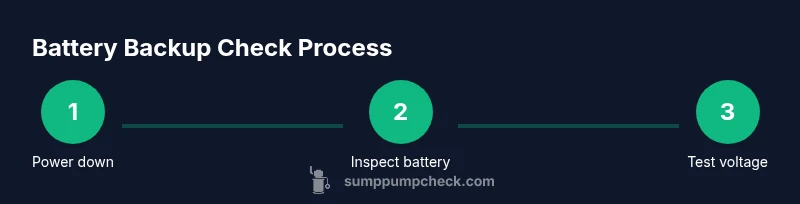
Begin with a physical inspection of the backup battery case. Look for swelling, corrosion on terminals, or cracked housings, all of which indicate a failing cell or poor seal. Check terminal connections for tightness and clean any oxidation with a nylon brush or a battery-safe cleaner. If possible, remove the battery from its tray to inspect the terminals and cables for fraying or loose connectors. Note the battery’s age; newer units generally deliver more reliable performance, while older ones may show diminished capacity even if there’s no visible damage.
How to test voltage and health with a multimeter
Using a digital multimeter, measure the resting voltage of the battery according to the device’s manual. A healthy 12-volt lead-acid battery typically sits around 12.6–12.8 volts when fully charged; a reading under 12.4 volts usually signals a depleted state and may require charging or replacement. Test under load by briefly simulating pump operation or connecting a load that approximates actual current draw. If the voltage dips below safe operating levels quickly or stays consistently low under load, plan for battery maintenance or replacement. Always reconnect the system securely after testing and ensure the terminals are free of moisture or residue that could affect readings.
Testing during a simulated outage
To verify the transfer to battery power, temporarily cut main power to the sump pump while monitoring the backup’s response. The system should automatically switch to battery power and run the pump for a short period without tripping a safety mechanism. Observe that the pump starts promptly, discharge lines remain clear, and there are no alarming beeps or fault indicators. If the switch delay is noticeable or if the pump fails to run, suspect either the battery, the switch, or the charger circuit and investigate each component methodically.
Common issues and troubleshooting
Common problems include degraded batteries, corroded terminals, loose wires, and a faulty charger. A swollen battery is a red flag requiring immediate replacement; never use a swollen unit. Clean terminals and ensure good contact between cables and posts. If readings show insufficient voltage even after charging, the issue may lie with the charger or control board. In many cases, the charger is the culprit rather than the battery, so test both with the correct equipment. When in doubt, contact a professional to avoid mishaps with lead-acid chemistry.
Maintenance schedule and replacement hints
Create a simple maintenance calendar that logs test results, voltage readings, and any anomalies. Replace the backup battery every 3–5 years under typical conditions, more frequently in high-use environments or extreme temperatures. Keep an eye on the charger and the float switch to ensure they’re functioning properly, since these parts influence overall performance just as much as the battery itself. Maintaining a written log makes it easier to spot gradual declines and schedule preventive replacements before outages occur.
Tools & Materials
- Sump pump battery backup unit(Identify model and confirm compatibility with your sump pump.)
- Multimeter or voltage tester(Used to measure battery resting voltage and under-load voltage.)
- Safety gloves(Protect hands when handling batteries and terminals.)
- Battery terminal cleaner or nylon brush(Clean corrosion from terminals for reliable connections.)
- Non-conductive pry tool(Assist lifting battery from tray if needed.)
- Non-contact voltage tester(Verify circuits are de-energized before touching.)
Steps
Estimated time: 60-90 minutes
- 1
Power off and locate
Turn off the sump pump circuit at the main panel or GFCI. Locate the battery backup unit and identify its model and access points. This prevents accidental energization during inspection.
Tip: Use a non-contact tester to double-check that the circuit is de-energized. - 2
Inspect physical condition
Visually inspect the battery case, posts, and cables for swelling, corrosion, or wear. Note any cracks or leaks and ensure the battery sits firmly in its tray.
Tip: Take a quick photo of terminal connections for reference during reassembly. - 3
Measure resting voltage
With the battery disconnected from the load, measure resting voltage using a multimeter according to the manufacturer’s instructions. Record the value for your maintenance log.
Tip: A healthy lead-acid battery usually reads around 12.6V when fully charged. - 4
Check charging circuit
Reconnect the battery and verify the charger is delivering current. Look for indicators on the charger or follow the manual to confirm proper voltage and charging behavior.
Tip: Inspect charger connections for any signs of heat or corrosion. - 5
Test under load
Briefly simulate pump operation or apply a representative load while monitoring voltage. If voltage collapses quickly, the battery may be weak and require replacement.
Tip: Do not run the pump for extended periods during testing to avoid overheating the battery. - 6
Verify alarms and indicators
With power restored, check that all alarm indicators, beeps, or dashboards respond correctly. Confirm the system recognizes battery operation and reverts to main power without issue.
Tip: If alarms persist after testing, consult the manual or contact support.
FAQ
How often should I check my sump pump battery backup?
Check the backup system regularly and keep a simple maintenance log. While many homeowners perform checks during battery service intervals, you should definitely test after any outage or storage period to ensure readiness.
Check it regularly and keep a maintenance log; test after outages to ensure readiness.
What does low voltage indicate and what should I do?
Low voltage usually means the battery is discharged or nearing end of life. Recharge the battery and test again; if it remains low, plan for replacement or consult a professional.
Low voltage means the battery may be weak—recharge and re-test; replace if it stays low.
Can I test the battery backup myself if I’m not experienced?
Yes, with proper safety precautions and the right tools (multimeter, voltage tester). If you’re unsure, halt and seek professional help to avoid injury or damaging components.
Yes, but only if you’re comfortable with basic electrical work; otherwise get help.
How long should a typical sump pump backup battery last?
Battery life varies by usage and environment. Expect several years under normal conditions, but performance can decline with temperature and frequent outages; monitor health indicators regularly.
Battery life varies, but monitor health indicators yearly to plan replacements.
Is a beeping alarm a sign I should replace the battery?
Beeps can indicate a fault or low battery. Check the indicator codes in the manual, perform a full test, and replace the battery if warnings persist.
Beeping usually means a fault or low battery; test and replace if needed.
Should I replace the charger along with the battery?
If tests show the charger is not delivering proper voltage, or if it’s old and overheating, replacing the charger can restore reliable charge to the battery and preserve system performance.
If the charger isn’t delivering proper voltage, consider replacing it.
Watch Video
Top Takeaways
- Test battery health before outages to prevent floods.
- Regular checks extend battery life and reliability.
- Inspect terminals and charger for corrosion or wear.
- Log testing results to spot gradual declines.