DIY Sump Pump Battery Backup: A Practical Guide
Learn how to install a DIY sump pump battery backup to keep your basement dry during power outages. This guide covers sizing, safety, wiring, and testing for homeowners and DIY enthusiasts.


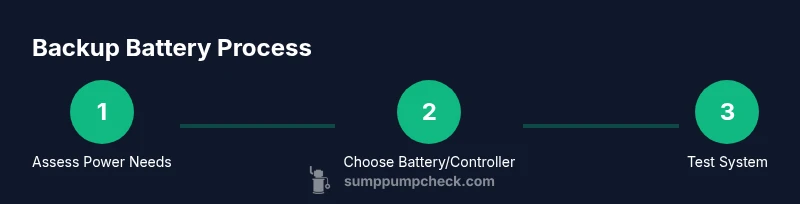
In this guide, you’ll learn how to install a DIY sump pump battery backup so your pump keeps running during power outages. You’ll plan battery capacity, choose the right chemistry, connect a transfer switch or smart controller, and test the system safely. By the end, you’ll have a practical backup that protects your basement.
Why a DIY Sump Pump Battery Backup Matters
A sump pump battery backup provides a second power source when the primary electricity fails. In many homes, power outages during storms are common and can leave a sump pit unattended, increasing flood risk. A DIY backup system lets you tailor capacity to your basement size, climate, and pump flow rate. According to Sump Pump Check, designing a practical backup around your sump pump’s required load helps reduce flood risk and repair costs. With basic electrical safety and proper sizing, a DIY backup is achievable for most homeowners and DIY enthusiasts who want reliable protection without hiring a full-service installer. This approach also gives you hands-on understanding of how back-up power integrates with your home electrical system, which is empowering for ongoing maintenance.
Understanding Battery Backup Components
A successful DIY sump pump battery backup relies on several core components working together. The system typically includes a backup battery, a charger or smart charger, a transfer switch or controller, and a switch or float-activated sensor that triggers the pump. An enclosure or weatherproof housing protects connections in damp basements, and a simple audible or visual alarm helps you notice problems early. A well-chosen controller manages safe switching between main power and backup power, preventing backfeeds. Keep a basic wiring diagram handy and label all connections so future DIY tweaks are straightforward. This modular approach makes upgrades easier if your basement floods or if your pump spec changes over time.
Battery Chemistry 101: Lead-Acid vs LiFePO4
When selecting a backup battery, you’ll encounter a few chemistry options with trade-offs. Lead-acid (sealed or flooded) batteries are typically lower in upfront cost and familiar to many DIYers, but they require periodic maintenance and have shorter cycle life. LiFePO4 batteries offer longer life, better deep-cycle performance, and lighter weight, but they come with a higher upfront price. For many homeowners, a practical choice balances cost and longevity: a well-maintained lead-acid kit can work, while LiFePO4 offers long-term reliability if you’re planning for years of use. Regardless of chemistry, ensure the battery is sized for your sump pump’s typical load and that the charger is compatible with the battery chemistry you choose.
Sizing and Capacity: How Much Backup Do You Need
Sizing a backup system is about matching your sump pump’s power demand to the available battery capacity, while accounting for runtime goals and efficiency losses. Start by determining the pump’s load (in amperes) and the voltage system you’ll use (12V or 24V DC commonly). Then estimate how long you want the system to run during an outage, and factor in charger efficiency and inverter losses if you’re converting energy. A simple method is to calculate the required amp-hours (Ah) by dividing the product of the expected current draw and desired runtime by the battery voltage. Remember to plan for aging batteries and room to grow—aging reduces effective capacity, so a little extra headroom helps.
Wiring Basics and Safety: What to Plan
Electrical safety is paramount when adding a battery backup. Plan for a dedicated, weatherproof enclosure for all high-voltage connections and a clearly labeled DC wiring path from the battery to the transfer switch. Use a proper transfer switch or controller to prevent backfeed into the house circuits, and install fuses or proper overcurrent protection on every power leg. Grounding and a GFCI outlet for the charger can reduce shock risk. If you are unsure about wiring or local electrical codes, consult a licensed professional. A well-planned layout minimizes hazards and simplifies future maintenance.
Installation Scenarios: Basement, Flood Zones, and Pumps
Basements vary in moisture, space, and access to electrical outlets. In storm-prone areas, place the backup components in a dry, accessible location, with the charging equipment on a stable mount. If your pump sits in a pit, ensure the battery and controller are kept away from direct water splash zones but still within reach for testing. For homes with a sump pit near a flood zone, you may want a slightly larger battery bank to extend runtime during extended outages. The goal is a reliable, repeatable setup that you can test every few months without disassembling walls.
Maintenance Schedule and Troubleshooting
A reliable backup system requires routine checks. Inspect the battery and connections for corrosion, test the system monthly by simulating a outage and observing the switch, and replace aging components before failure. Keep a spare fuse and a small set of replacement parts on hand so you’re not scrambling mid-outage. Record test results so you can track performance over time and decide when a component needs upgrading. Regular maintenance also helps you catch weak vents, loose wires, or degraded seals before they cause bigger problems.
Cost Considerations and ROI
A DIY sump pump battery backup is an investment in basement protection and peace of mind. Costs vary with battery chemistry, capacity, and whether you add a transfer switch or smart controller. A balanced upgrade considers initial outlay, expected lifespan, and the risk reduction from prevented floods. In many scenarios, a modestly sized backup system pays for itself through avoided flood damage and reduced insurance claims over time. If you’re planning long-term use or have multiple basement sump stations, scaling up can improve reliability and make your home more resilient to outages.
Tools & Materials
- Sump pump with backup-ready interface(Ensure it supports external battery backup or a transfer switch input)
- Backup battery (12V lead-acid or LiFePO4)(Choose capacity based on sizing calculations; ensure venting and safety comply)
- Battery charger compatible with the chosen chemistry(Weatherproof/suitable for basement humidity)
- Automatic transfer switch (ATS) or compatible controller(Prevents backfeed and coordinates seamless handoff)
- Fuse block, fuses, and appropriate wiring(Protective components sized to system current)
- Electrical enclosure or weatherproof box(Keeps connections dry and safe)
- Wire strippers, crimpers, and insulation tape(For clean, safe terminations)
- Multimeter or battery tester(Check voltage, continuity, and charging status)
- Ventilated mounting hardware(Optional for battery cooling and odor control)
Steps
Estimated time: 2-4 hours
- 1
Plan layout and safety checks
Survey the basement space and identify a dry, accessible location for the battery, charger, and transfer switch. Confirm there is a convenient outlet for the charger and that the area will stay reasonably cool and dry. Take photos of existing wiring to help with future reference.
Tip: Document current outlets and routing routes before relocating components. - 2
Choose battery size and chemistry
Decide between lead-acid or LiFePO4 based on budget, space, and long-term goals. Ensure the battery capacity is sufficient for your pump’s load and your desired runtime, with headroom for aging.
Tip: If unsure, start with a conservative capacity and plan for a future upgrade. - 3
Install battery and charger
Mount the battery in the enclosure and connect the charger according to the manufacturer’s instructions. Keep charging cables away from water and ensure proper ventilation.
Tip: Use corrosion-resistant hardware and clearly label all connections. - 4
Install transfer switch or controller
Wire the ATS/controller between main power, the battery, and the sump pump input. Verify polarity and fuse sizing, and ensure the switch clearly indicates active power source.
Tip: Avoid stacking multiple devices on the same circuit; follow the device’s maximum load specification. - 5
Connect sump pump to backup power and test
Attach your sump pump’s power lead to the ATS output, then simulate a power outage to verify the backup activates without interruption. Listen for alarms and confirm that the pump discharges properly.
Tip: Perform a live test with secondary power so you understand real standby performance. - 6
Maintenance plan and final check
Create a routine maintenance schedule (monthly checks, quarterly tests, annual battery evaluation). Keep spare fuses, inspect for corrosion, and review wiring annually.
Tip: Set calendar reminders for battery health checks and system tests.
FAQ
Do I really need a battery backup for my sump pump?
A battery backup provides protection during power outages and can prevent basement flooding. It adds a safety margin beyond a standard pump.
Yes, a backup can prevent floods when the power goes out.
How long will a backup run during a typical outage?
Runtime depends on the battery size, pump draw, and efficiency. Larger capacity batteries extend run time, while higher efficiency reduces energy use.
Runtime varies with battery size and pump draw; bigger batteries last longer.
What battery chemistry should I use?
Lead-acid is generally cheaper upfront, while LiFePO4 offers longer life and lighter weight. Choose based on budget and long-term goals.
Lead-acid is cheaper at first; LiFePO4 lasts longer but costs more.
Can I install it myself or do I need an electrician?
A skilled DIYer can install a basic backup with proper safety measures. For complex setups or larger systems, consult a licensed electrician.
Many DIYers can install this, but consult a pro for larger systems.
Is a transfer switch necessary?
A transfer switch or controller ensures safe, automatic switching to backup power without backfeeding into the house circuits.
Yes, it prevents backfeeding and ensures seamless switching.
What maintenance does a backup system require?
Test monthly, inspect connections for corrosion, and replace aging components before they fail. Keep spare fuses and a basic toolkit handy.
Test regularly and check connections; replace aging parts as needed.
Watch Video
Top Takeaways
- Plan capacity before purchasing components
- Choose a battery chemistry that fits your use and budget
- Use a proper transfer switch to avoid backfeed
- Test regularly and maintain clean connections