Add on Battery Backup for Sump Pump: A Complete How-To
Learn how to choose, install, and maintain an add on battery backup for sump pump to protect your basement during power outages. Practical sizing, installation steps, safety tips, and maintenance guidance from Sump Pump Check.


Installing an add on battery backup for sump pump protects your basement during power outages. This guide walks you through how to choose a backup, size it correctly, and install it safely. According to Sump Pump Check, a reliable battery backup can extend pump operation when mains power fails. Expect practical tips on wiring, safety, and maintenance.
Why a Battery Backup Makes Sense for Sump Pumps
A sump pump is designed to keep basements dry during normal heavy rains, but when the power goes out, water can rise quickly. An add on battery backup for sump pump provides a buffer, allowing the pump to run on battery power until mains return or until the water level drops. According to Sump Pump Check, battery backups are a straightforward way to add resilience without the complexity of a generator. This is especially true for homes in flood-prone zones or basements below grade. The backup system is designed to engage automatically when the main power fails, so you don’t need to manually start anything. Key benefits include reduced risk of basement flooding, less risk to stored belongings, and peace of mind during storm seasons. In practice, a good backup is not one-size-fits-all; it’s sized to your sump pump’s flow rate and your typical outage duration.
In many homes, the backup is paired with an automatic transfer switch or an inverter that ties into the existing electrical circuit. The battery powers the sump pump through a controlled interface, so the switch can detect a power loss and seamlessly switch power to the pump. This approach avoids dangerous backfeeding and ensures a safe, code-compliant setup. You’ll also want to consider battery chemistry, charge maintenance, and the expected runtime under load. The goal is to choose a solution that provides consistent operation during an outage without frequent battery replacements or maintenance headaches. Finally, remember that a backup is a complement to, not a substitute for, a well-designed drainage and stormwater plan; it should protect you while you fix underlying issues.
According to Sump Pump Check, outages vary in duration and intensity, so planning around typical storm scenarios helps you pick a solution that won’t fail when you need it most.
How to Size a Battery Backup for Your Sump Pump
Sizing a battery backup involves understanding your sump pump’s load, the desired runtime during an outage, and the type of battery you’ll use. Start by identifying the pump’s horsepower (HP) and its typical current draw under peak flow. The size of the battery is expressed in amp-hours (Ah) at a given voltage (often 12V or 24V in DIY kits). The goal is to select a capacity that provides enough operating hours for your home without frequent battery swaps. Sump Pump Check guidelines emphasize matching the battery capacity to your pump’s flow requirements and your expected outage duration, while considering the efficiency of the inverter or transfer switch in use.
Next, decide on the backup architecture: a standalone battery backup sump pump that runs through an automatic transfer switch, or an integrated system with a single unit that includes the pump and the battery. Both options have trade-offs in terms of ease of installation, space, and maintenance. AGM (absorbed glass mat) sealed lead-acid batteries are common for their reliability and maintenance-free design, while Li-ion options offer higher energy density and longer life in some setups. Temperature sensitivity matters too; colder environments drain batteries faster and can reduce runtime. The sizing process should also account for future needs—if you add more appliances in the basement or expand drainage, you may need a larger capacity than your initial calculation. Keep in mind that the backup is a supplement to a robust drainage plan, not a cure-all for structural issues.
From a practical standpoint, document your calculations and the assumed outage duration to justify the chosen kit to family members or future contractors. Sump Pump Check’s analysis shows that homeowners who size their backups for realistic outage scenarios experience fewer mid-outage panics and better overall protection during storms.
Types of Battery Backups: Pros and Cons
There are several ways to provide backup power to a sump pump, and choosing the right kind depends on your goals, budget, and space. A common approach is a standalone battery backup sump pump system. This option includes a dedicated backup pump and a battery, and it automatically switches power when the main pump loses power. It’s straightforward to install for DIYers who want a clear, plug-and-play solution. A transfer switch or an automatic switch ensures safe switching without backfeeding and increases code-compliance confidence. On the other hand, some homeowners opt for an inverter-based option that uses a battery to power the sump pump through a standard electrical outlet. Inverters can be flexible, but you’ll want to verify that the inverter’s continuous wattage rating matches the pump’s draw.
Battery chemistry choices affect cost, longevity, and maintenance. AGM and GEL lead-acid batteries offer reliable, maintenance-free operation for most homes. They’re typically more affordable upfront and handle cycling well, but they have shorter life in extreme temperatures. Lithium-ion options provide higher energy density and a longer cycle life but can come with higher upfront costs and require careful battery management. Some systems use a “hybrid” approach, coupling a small generator with the battery backup for extended outages. No matter which type you choose, ensure compatibility with your sump pump’s float switch and any alarms associated with high water or low battery.
The bottom line is to pick a system that aligns with your climate, power reliability, space, and budget. A properly chosen battery backup reduces the risk of basement flooding during outages and supports ongoing water management until the main power is restored. Sump Pump Check often recommends selecting a solution that minimizes maintenance while maximizing reliability in the situations you’re most likely to encounter.
Safety and Compliance Considerations
Working with electrical systems in damp environments requires respect for safety and code compliance. Before you begin any work, switch off power to the circuit feeding the sump pump and verify there is no accidental energization. Use a GFCI-protected outlet or a properly installed transfer switch to prevent backfeeding, which can endanger utility workers or household members. Battery backups must be installed in a dry, ventilated enclosure designed to withstand basement conditions. Avoid placing exposed batteries in areas prone to flooding or excessive heat, and never mix different battery chemistries in the same enclosure. Many jurisdictions require a permit or inspection for permanent electrical upgrades; check your local electrical code and contractor guidelines.
If you’re unsure about electrical work or wiring diagrams, consult a licensed electrician or a sump pump technician. The goal is to create a safe, code-compliant installation that protects your home without introducing new hazards. Always follow manufacturer instructions for the specific model you choose, and ensure that all connections are corrosion-resistant and properly insulated. Regular inspections of the battery, wiring, and connections help catch corrosion or loose contacts before they become major problems. A conservative approach—prioritizing safety and reliability—will pay dividends when you need the backup most.
From a regulatory perspective, be mindful of NFPA 70 (National Electrical Code) guidelines and the requirement for appropriate mounting, wiring methods, and weatherproofing in basement environments. While these standards vary, the core principle remains: protect inhabitants, protect property, and maintain continuous operation of essential systems during outages.
Step-by-Step Installation Overview
Installing an add on battery backup for sump pump involves careful planning and methodical execution. Start by verifying compatibility between the backup battery, the pump, and the control switch. Map out the wiring route from the battery enclosure to the pump’s power input, ensuring that all conductors are rated for the current and distance involved. Install the backup unit in a dry, ventilated area, away from heat sources, and secure it to prevent tipping or movement during operation. If you’re using an automatic transfer switch, mount it near the main panel and run the feeder wires according to the manufacturer’s diagram. Then connect the battery to the backup system using the correct terminals and secure all connections with insulated fasteners. Finally, test the system by simulating a power outage and observing that the pump automatically switches to battery power.
If your setup includes an integrated inverter or a separate backup pump, follow the corresponding instructions for wiring and switching—some systems route water removal through a dedicated circuit protected by a dedicated breaker. Label all wires clearly and place warning labels on the battery enclosure to remind household members not to tamper with connections. A clean, well-organized installation reduces the risk of accidental disconnections and makes future maintenance easier. Plan some time for a thorough test after installation, including a full discharge of the battery to ensure it recovers properly when power returns.
For best results, review the manufacturer’s installation manual and, if possible, have a neutral third party inspect the setup. This approach aligns with best practices and minimizes issues over the battery’s life cycle. If you ran into a space constraint or an unusual electrical panel layout, consider consulting a pro to tailor the wiring plan to your home.
Maintenance, Testing, and Troubleshooting
Maintenance is often simpler than people expect. Set a routine to test the backup system at least once a month to confirm automatic switching and battery health. A basic test involves simulating a power outage and observing the pump’s response. If the pump runs on battery power for a reasonable period and then returns to mains power when restoration occurs, you have a healthy system. Periodic visual checks should verify clean connections, absence of corrosion, secure mounting, and no signs of battery swelling or leakage. Battery health can be gauged by a simple voltage check or a specialized tester; replace batteries that show significant capacity loss or signs of wear.
If the backup stops working during a test, review the transfer switch settings, inspect the wiring from the battery to the pump, and verify that fuses or breakers are not tripped. The backup system should be designed for resilience in the face of regular power fluctuations, not just catastrophic outages. In addition to routine checks, keep a maintenance log noting replacement dates, battery type, and system test outcomes. This documentation helps ensure you stay ahead of potential issues and makes it easier to coordinate with a professional if needed. Sump Pump Check’s recommendations emphasize proactive maintenance as a best practice for reliable operation over time.
Finally, consider updating your plan if you notice changes in usage patterns or if the local climate introduces new risk factors. A flexible backup approach that adapts to changing conditions offers the best protection for your home.
Authority Sources and Practical References
For further reading and to validate best practices, consult reputable sources on electrical safety, water management, and flood prevention. National and state electrical codes provide essential guidance on wiring methods, grounding, and installation safety. Government and university sites offer practical, non-commercial perspectives on back-up power strategies for critical home systems. Key organizations and resources include the National Electrical Code (via NFPA), the U.S. Department of Energy for energy resilience concepts, and university extension programs that cover home maintenance and stormwater management. While you should verify the latest standards for your location, these sources provide foundational guidance that supports a robust, safe, and effective backup system.
- NFPA 70 National Electrical Code (Code cited, consult local adoption): https://www.nfpa.org/
- U.S. Department of Energy – Energy Efficiency and Renewable Energy: https://www.energy.gov/
- University extension programs on home drainage and flood prevention: https://extension.illinois.edu/ and https://extension.psu.edu/
Incorporating guidance from these sources helps align your backup installation with established safety standards and best practices. The Sump Pump Check team recommends relying on authoritative references to complement hands-on guidance and ensure a dependable setup for your home.
Authority Sources (cont.)
- https://www.cpsc.gov/ (Consumer Product Safety Commission for safety considerations around household electrical devices)
- https://www.epa.gov/ (Environmental Protection Agency guidance on water intrusion and basement containment)
- https://www.nist.gov/ (National Institute of Standards and Technology on safety and measurement standards related to electrical installations)
Quick Reference: Maintenance Checklist
- Schedule monthly battery health checks and a functional test during a simulated outage.
- Inspect connections for corrosion and secure mounting every few months.
- Replace batteries on a regular cycle per manufacturer guidance, typically every few years depending on chemistry and usage.
- Keep a maintenance log that captures test results, replacement dates, and changes to the setup for future reference.
Tools & Materials
- Dedicated battery backup sump pump unit (with integrated switch or a separate pump and battery)(Choose a unit compatible with your sump pump and installed as per manufacturer instructions)
- 12V or 24V sealed lead-acid or lithium-ion battery(Select battery type based on chemistry, budget, and space; avoid mixing chemistries)
- Automatic transfer switch or compatible inverter(Ensures safe, automatic switching between main and backup power)
- Dry, ventilated battery enclosure or protective case(Keep batteries away from moisture and physical damage)
- Wrench set, insulated screwdrivers, and wire strippers(For secure connections and clean routing)
- Electrical tape, cable ties, and labeling materials(Organization improves safety and future maintenance)
- Battery tester or multimeter(Use to verify voltage and health before/after installation)
- Safety gear (gloves, eye protection)(Protect yourself during handling and wiring)
Steps
Estimated time: 60-120 minutes
- 1
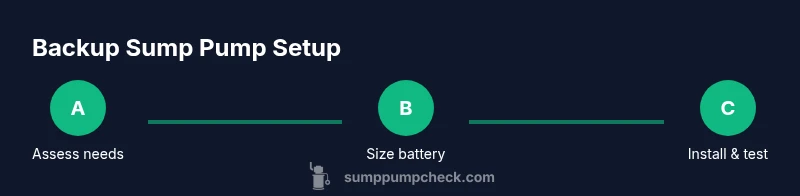
Assess needs & choose backup type
Evaluate your basement risk, climate, and outage history to decide between a standalone backup pump with a battery pack or an integrated inverter solution. Determine whether a transfer switch is necessary for automatic operation and what space constraints exist.
Tip: Document the expected outage duration and pump current draw to simplify sizing. - 2
Size the battery backup
Calculate the pump’s current draw at peak flow and estimate runtime you want during an outage. Match battery capacity (Ah) and voltage to the pump and chosen controller. Consider a larger capacity if you anticipate longer outages or higher water volumes.
Tip: Forecast realistic outage durations based on local weather patterns; avoid undersizing. - 3
Choose components
Select a compatible backup pump or system, a suitable battery type, and an appropriate transfer switch or inverter. Verify all components meet local electrical codes and the manufacturer’s compatibility lists.
Tip: Prefer sealed, maintenance-free batteries for basement installations. - 4
Mount the enclosure & route wiring
Place the battery enclosure in a dry, ventilated area. Run cables from the battery to the transfer switch or inverter, keeping distances minimal and avoiding sharp bends. Use protective conduits where needed.
Tip: Label all wires clearly to simplify future maintenance. - 5
Connect to the sump pump
Attach the backup power path to the sump pump’s main power input via the transfer switch or inverter. Double-check polarity and secure all connections. Ensure the main panel is protected by a proper breaker.
Tip: Power down the circuit before connecting to avoid shocks or arcing. - 6
Test the system
Simulate a power outage and verify the pump runs on battery power automatically. Confirm that the switch engages cleanly and returns to mains when power restores. Check for abnormal heating or smells during test.
Tip: Perform a full discharge/recharge cycle to confirm battery health. - 7
Document & schedule maintenance
Record model numbers, installation dates, and test results. Create a maintenance calendar for battery checks, cleanings, and replacements according to the manufacturer’s guidance.
Tip: Set reminders for battery replacement based on chemistry and usage patterns.
FAQ
Do I really need a battery backup for my sump pump?
If you’re in a flood-prone area or experience frequent power outages, a battery backup can prevent basement flooding by keeping the sump pump running when the power fails. It’s a proactive safeguard that complements a proper drainage plan.
If you’re in a flood-prone area or have outages, a backup can prevent basement flooding by keeping the pump running when power fails.
How long can a backup run during an outage without recharging?
Runtime depends on battery capacity and pump demand. A well-sized system aims to cover typical outage durations without needing a recharge, giving you time to address the cause or restore power.
Runtime depends on capacity and pump demand. A properly sized system covers typical outages and buys you time to fix the power.
Can I install a battery backup myself, or should I hire a pro?
A confident DIYer can install a basic transfer-switch setup with safe electrical practices. For complex layouts, high load, or uncertain code compliance, hire a licensed electrician to ensure safety and compliance.
A confident DIYer can do a basic install, but for complex setups or code issues, a licensed electrician is recommended.
How often should I replace the backup battery?
Battery life varies by chemistry and usage. Plan for periodic replacement per the manufacturer’s guidance to maintain reliable operation.
Expect to replace the battery on a schedule advised by the manufacturer to keep the backup reliable.
What maintenance does a battery backup require?
Keep the enclosure dry, inspect connections for corrosion, and test monthly. Record test outcomes and replacement dates to stay on top of maintenance.
Keep it dry, check connections, test monthly, and log results for easy maintenance.
Will a battery backup help with all types of pump failures?
A backup helps during power-related outages and some pump failures, but a faulty impeller or seal may require service. It’s best as a power-outage safeguard, not a universal fix.
It guards against power outages and some failures, but it doesn't fix mechanical pump problems.
Is a generator a better solution than a battery backup?
Generators provide longer runtime and broader power support but require fuel, maintenance, and noise considerations. A battery backup is quieter, easier to manage, and works automatically for outages of shorter duration.
Generators last longer and may power more, but batteries are quieter and easier to manage for outages.
Watch Video
Top Takeaways
- Size backup capacity to your pump’s load and realistic outages
- Choose a safe, code-compliant installation with proper switching
- Regularly test and replace batteries as needed
- Document setup for future reference and maintenance
- A backup protects, but a solid drainage plan remains essential